
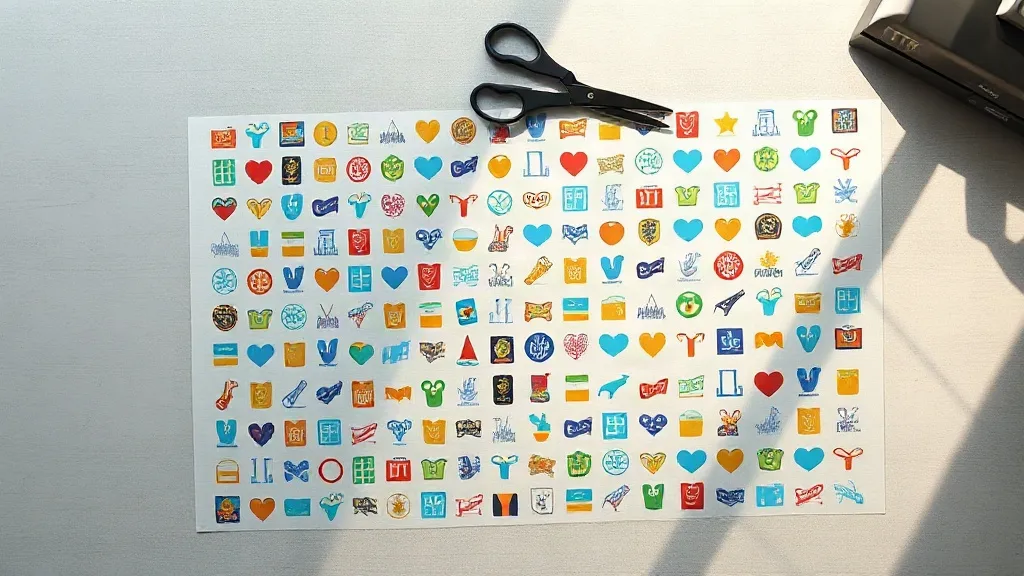
Most people who order custom transfers for the first time assume the price is the price. Then they see a quote for a single full-color design on a 12-inch film and quietly close the tab. What they are missing is the format that changes the math: a DTF Gangsheet packs dozens of separate designs onto one continuous sheet of film, so you pay for one print run instead of one design at a time. For a small shop printing twenty shirts a week, that difference is often the gap between a viable side business and an expensive hobby.
This guide walks through what a gangsheet actually is, how to prepare artwork so it prints cleanly, and the mistakes that cause people to waste film on their first order. It is written for the person running a heat press in a garage, not for a large production facility with a dedicated prepress team.
What a DTF Gangsheet Actually Is
Direct-to-film printing works by jetting water-based pigment ink onto a PET film, then dusting the wet ink with a hot-melt adhesive powder. The powder fuses to the ink under heat, and the resulting transfer can be pressed onto cotton, polyester, blends, and even some nylon. The film itself is thin and flexible, which is why DTF transfers drape well on stretchy fabrics where vinyl feels stiff.
A gangsheet is simply the same process applied to a larger canvas. Instead of printing one design centered on a small sheet, the printer nests many designs across a wide roll, usually 22 to 24 inches across and up to several feet long. You pay by the linear foot of film rather than by the design. The economics are straightforward: if you fill a three-foot sheet with thirty small logos, your cost per transfer drops dramatically compared to ordering thirty individual prints.
Why the Format Suits Small and Mid-Size Operations
A shop that sells on marketplaces or at local events rarely needs five hundred of one design. It needs five of this, ten of that, and a handful of one-offs for custom orders. Gangsheets match that buying pattern. You can mix a team logo, a set of bachelorette party designs, and a few personal projects on the same sheet as long as you leave enough spacing between them for clean cutting.
There is also a storage advantage. Transfers arrive flat and can be stored in a drawer or a binder sleeve, so you are not committing to inventory before you know what sells. Print a sheet, press a few samples, and reorder when the design proves itself.
Preparing Artwork That Prints Cleanly
Most problems with DTF transfers trace back to the file, not the press. The printer reproduces what you send, including the mistakes. A few habits will save you a reprint.
Resolution and Color Mode
Export artwork at 300 DPI at the final print size. A logo that looks crisp on a phone screen can turn mushy when it is enlarged to ten inches wide, because the source file was only 72 DPI. Work in RGB rather than CMYK; DTF printers use an RGB workflow, and converting your files beforehand often shifts colors in ways you did not intend.
Transparency and White Ink
DTF printing lays down a white ink layer beneath the color so the design shows up on dark garments. That white layer is generated automatically from your artwork's transparency. If your file has a solid white background instead of a transparent one, the printer will treat that background as part of the design and produce a big white rectangle around your logo. Check for transparency before you upload, and flatten any stray layers that might contain hidden white fills.
Outlines and Fine Detail
Thin hairlines and tiny text below about 6 points tend to break up during powdering and pressing. If a design has delicate script, thicken the strokes slightly or increase the point size. Gradients and soft shadows are fine, but avoid semi-transparent edges that fade to almost nothing; the powder needs enough ink to grip.
Laying Out the Sheet
Spacing is the detail people underestimate. Leave roughly a quarter inch between designs so you can cut them apart with scissors or a trimmer without slicing into a neighbor. Group similar sizes together to reduce wasted film, and rotate pieces where the design allows it.
A practical workflow looks like this:
- List every design you need and the quantity of each.
- Build a layout in your design software at the exact film width you are ordering.
- Nest smaller pieces into the gaps left by larger ones.
- Add a small text label near each design with the name and size, kept outside the cut line.
- Export as a single flattened PNG at 300 DPI.
That label step sounds fussy, but it pays off when you are pressing twenty different designs in one sitting and cannot tell two similar logos apart on a crowded sheet.
Pressing and Finishing
DTF transfers press at a lower temperature than many people expect. A common starting point is 300 to 320 degrees Fahrenheit for 10 to 15 seconds with medium pressure, but fabric type matters. Cotton tolerates the higher end, while heat-sensitive synthetics and blends prefer the lower end with a slightly longer dwell. Always run a test press on an offcut of the actual garment before committing a full order.
Peel the film while it is still warm for a matte finish, or let it cool completely for a glossier, slightly smoother look. After peeling, a second press of 5 seconds with a cover sheet helps the adhesive settle into the fibers and improves wash durability. Wait at least 24 hours before the first wash, and turn the garment inside out.
Common Mistakes and How to Avoid Them
The most frequent complaint is transfers that crack after a few washes. In most cases the cause is under-pressing rather than bad film. If the adhesive never fully melted into the fabric, it will lift at the edges. Increase pressure or dwell time slightly and test again.
Another recurring issue is color that looks dull on dark shirts. That usually means the white ink layer was too thin, which happens when a design has lots of fine detail and the printer cannot lay down enough white behind it. Simplifying the design or adding a slight outline often fixes it.
Finally, people forget that film has a shelf life. Stored in a humid room, the powder can absorb moisture and press poorly. Keep unused transfers in a sealed bag with a desiccant packet, away from direct sunlight.
Frequently Asked Questions
How many designs fit on a typical gangsheet?
It depends entirely on size. A sheet filled with 3-inch pocket logos can hold well over a hundred pieces, while a sheet of full back prints might hold only four or five. Most shops aim for a mix that fills the width efficiently without leaving large empty gaps.
Can I mix different fabric types in one order?
Yes, the sheet itself does not care what garment you press it onto. What changes is your press settings. Keep a small note of the temperature and time that worked for each fabric so you are not guessing on repeat orders.
Do DTF transfers work on 100% polyester?
They do, and this is one of their strengths compared to vinyl, which can be tricky on synthetics. Use a lower press temperature around 300 degrees Fahrenheit and a slightly longer dwell, and always test on a hidden area first because some polyesters are sensitive to heat.
What file format should I upload?
A flattened PNG at 300 DPI with a transparent background is the safest choice. PDF and TIFF files also work with many printers, but PNG avoids most transparency and color-profile surprises.
How long do unused transfers last?
Stored cool and dry in a sealed bag, most transfers remain usable for six months to a year. Humidity is the main enemy, so avoid garages and basements for long-term storage.